
The BISP Kafalat New Beneficiaries List 2026 helps low-income families determine whether they have been selected for financial assistance.
BISP does not normally publish a downloadable list containing beneficiaries’ names and CNIC numbers. Instead, every household must check its status individually through the official 8171 web portal, SMS service or a BISP Tehsil Office.
The official 8171 portal allows applicants to enter their CNIC and verification code to check household eligibility. This process protects personal information and provides results linked to a specific household.
How to Check BISP Status by CNIC
You can check your BISP Kafalat eligibility status through the following methods.
1. Check Through the 8171 Web Portal
Follow these steps:
- Open the official 8171 portal.
- Enter your 13-digit CNIC number.
- Type the verification code shown on the screen.
- Submit the form.
- Review your household eligibility result.
Use only the official government portal. Avoid unofficial websites that request unnecessary personal or banking information.
2. Check Through SMS
Applicants without internet access can use the BISP 8171 CNIC check by SMS.
- Open your mobile messaging app.
- Type your 13-digit CNIC without dashes.
- Send it to 8171.
- Wait for the official response.
BISP confirms that 8171 is its only official messaging number. Messages received from other numbers may be fraudulent.
3. Visit a BISP Tehsil Office
Visit the nearest BISP office when:
- Your CNIC shows no record.
- Your status says “survey required.”
- Your household information is incorrect.
- Your CNIC has recently been renewed.
- Your family circumstances have changed.
- Your application remains under verification.
Bring your original CNIC and relevant family documents.
How Are New BISP Beneficiaries Selected?
BISP selects beneficiaries through the National Socio-Economic Registry, also called NSER.
The selection process generally includes:
- Completion of the NSER household survey
- Verification of CNIC and family information
- Assessment of household income and living conditions
- Calculation of the PMT score
- Final eligibility review
The NSER Dynamic Registry allows new households to register and existing families to update their information through registration centres located at the tehsil level.
Completing the survey does not guarantee approval. BISP makes the final decision after checking the household’s information and eligibility score.
What Is the BISP PMT Score?
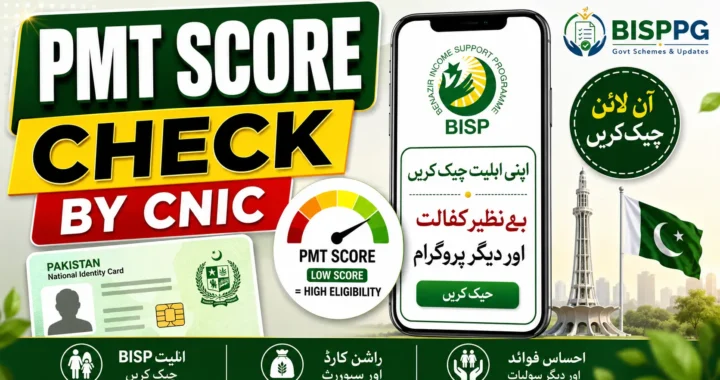
PMT means Proxy Means Test. It estimates a household’s financial condition using information collected during the NSER survey.
The assessment may consider:
- Household size
- Employment status
- Sources of income
- Housing conditions
- Education level
- Dependants
- Disability
- Household assets
The official BISP Kafaalat page states that the published PMT cut-off is 32 for general households and 37 for families containing a differently abled person. These rules may be revised through future policy decisions.
Read More: Apni Chhat Apna Ghar 2026 – Eligibility, Loan and Online Apply
Who May Qualify for BISP Kafalat 2026?
A household may qualify when:
- Its NSER survey is complete.
- Its PMT score falls within the approved limit.
- Its CNIC and household information are valid.
- It meets BISP’s poverty and vulnerability criteria.
- Its information passes the verification process.
Women from eligible households generally receive the Kafalat assistance. Widows and families containing persons with disabilities should ensure their NADRA and NSER information is complete and accurate.
What Do Common 8171 Results Mean?
Eligible
Your household currently meets the eligibility conditions. Wait for an official payment confirmation before visiting a payment centre.
Under Verification
Your record is still being checked. BISP may verify your information through NSER or NADRA.
Survey Required
You need to complete or update the NSER Dynamic Survey at a BISP Tehsil Office.
No Record Found
Your household may not be registered, or the CNIC may have been entered incorrectly. Recheck the number before visiting a registration centre.
Ineligible
Your household does not currently meet the programme’s requirements. This may happen because of a high PMT score, incomplete data or information affecting eligibility.
What to Do If Your CNIC Is Not Showing
Take these steps:
- Re-enter your CNIC carefully.
- Check whether the CNIC is valid and unexpired.
- Send the CNIC to 8171.
- Visit the nearest BISP Tehsil Office.
- Ask whether a new Dynamic Survey is required.
- Correct any outdated household information.
Updating your information does not guarantee approval. It ensures that BISP assesses your household using accurate data.
BISP Kafalat Payment Update
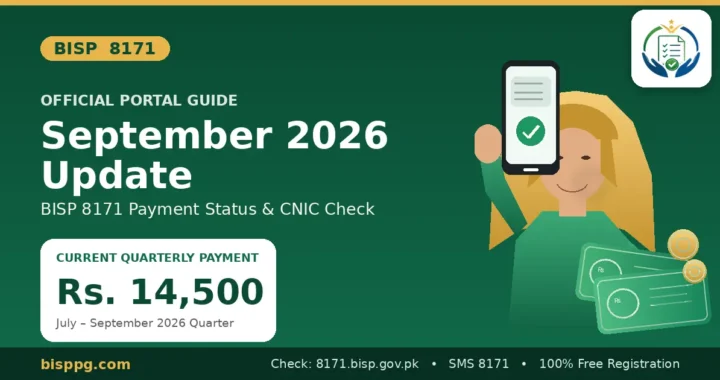
The last clearly published official increase raised the quarterly Benazir Kafaalat instalment from Rs.10,500 to Rs.13,500 from January 2025. Beneficiaries should verify the amount applicable to their 2026 payment cycle through 8171 because payment policies can change.
Do not rely on unofficial social media posts claiming that every beneficiary will receive the same amount. Some payment totals may include:
- Previous unpaid instalments
- Benazir Taleemi Wazaif
- Other programme benefits
- District-specific payment phases
Always wait for an official payment confirmation before travelling to a payment centre.
How to Update the NSER Dynamic Survey
Visit a BISP Tehsil Office if your family information has changed because of:
- Marriage or divorce
- Birth of a child
- Death of a household member
- Change of address
- Disability registration
- CNIC renewal
- Change in employment or income
Carry your original CNIC, children’s B-Forms and any documents supporting the requested change.
The BISP registration and survey process is free. Do not pay an agent who promises registration, a lower PMT score or guaranteed approval.
BISP Fraud and Payment Safety
Follow these precautions:
- Trust messages only from 8171.
- Never share an OTP with anyone.
- Do not pay for the NSER survey.
- Avoid unofficial payment links.
- Do not give your CNIC photograph to unknown agents.
- Count your payment before leaving the centre.
- Request a receipt after receiving money.
If an agent deducts money or demands a payment fee, contact the nearest BISP office or call the official helpline at 0800-26477.
Frequently Asked Questions
Is there a downloadable BISP beneficiaries list for 2026?
The official BISP system provides individual household verification through CNIC rather than a public list containing beneficiaries’ personal information.
How can I check my BISP status online?
Enter your 13-digit CNIC and verification code on the official 8171 web portal.
Is 8171 the official BISP number?
Yes. BISP states that official programme messages are sent through 8171.
Is the BISP Dynamic Survey free?
Yes. Registration and the NSER survey are free.
Does completing the survey guarantee BISP approval?
No. The survey allows BISP to assess your household. Approval depends on verification, PMT score and current programme rules.
Why is my BISP status under verification?
Your CNIC, household information or NSER record may still be under review. Wait for an official response or contact a BISP Tehsil Office.
How can I check my BISP payment?
Check your CNIC through the 8171 portal or wait for an official message from 8171.
Where can I report a payment deduction?
Call the BISP helpline at 0800-26477 or submit a complaint at the nearest BISP office.
Final Words
To check the BISP Kafalat New Beneficiaries List 2026, use the official 8171 portal or send your CNIC to 8171.
Complete the NSER Dynamic Survey if requested. Keep your household information updated and never pay an agent for registration or approval. Verify every eligibility and payment update through official BISP channels.